

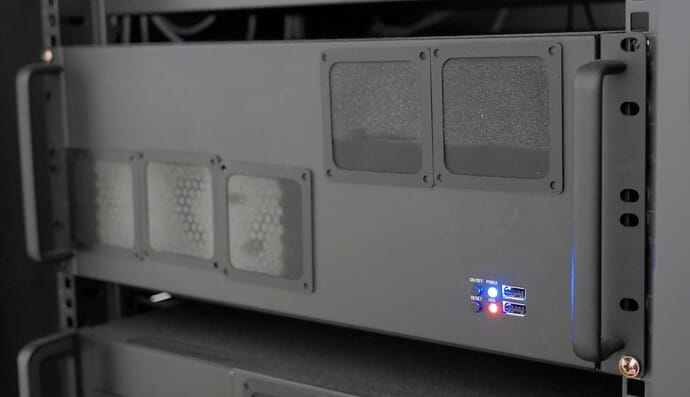
Tinyrack Infrastructure Has Moved to the Cloud
Originally, every Tinyrack service ran directly from my home. The project was still young and traffic was not high, so I expected that I could handle it without much trouble.
Then I had to move. That meant service interruption, and I started to worry. After thinking through several options, I concluded that servers used by people other than myself should run reliably in an external cloud, even if my personal-use servers stayed at home.
In the end, I rented a virtual machine from Hetzner Cloud and rebuilt the infrastructure with Kubernetes. I want to introduce that process here.
Choosing a Cloud Service
The first question was which cloud service to use. Developers usually think of major providers such as Amazon AWS, Microsoft Azure, or Google Cloud Platform. Because I am not planning to monetize the service yet, those large clouds felt financially burdensome. They can be free at the start, but costs rise steeply as a service grows.
After looking at several services, I chose Hetzner, a German provider. It has two big advantages: very low server rental prices and generous usage policies.
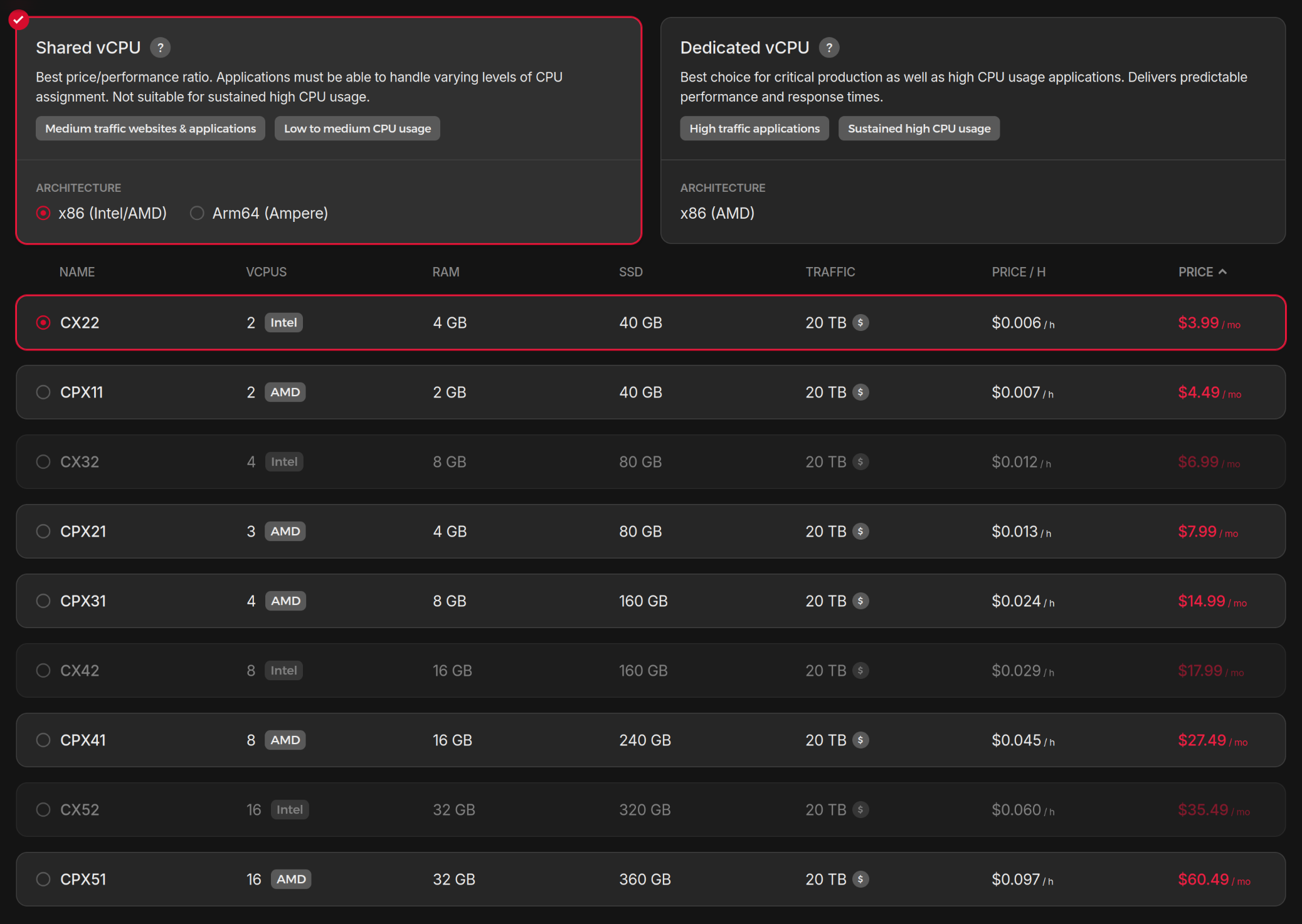
Hetzner's cheapest shared servers can be rented for around four dollars, and the compute resources and traffic allowance are outstanding compared with other providers.
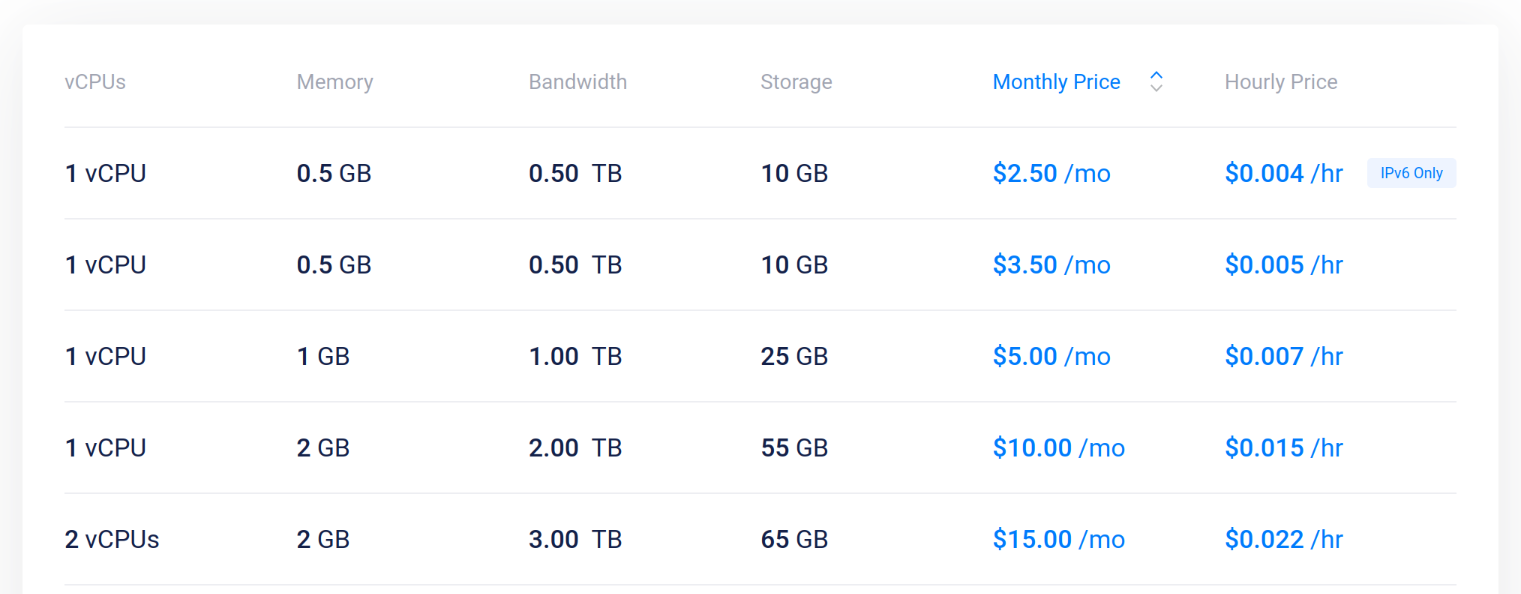
This is the shared server pricing table from Vultr. The lowest price is slightly lower, but when you compare the allocated resources, you can see that Hetzner is extremely inexpensive.
When something is this cheap, two concerns usually come up: service stability and connection speed. For stability, I looked through several communities and found many opinions saying there were no serious problems. I was already running a mail server on Hetzner reliably, so I was not too worried.
Connection speed was a bigger concern because the servers are in Europe. If web pages load slowly, users may leave.
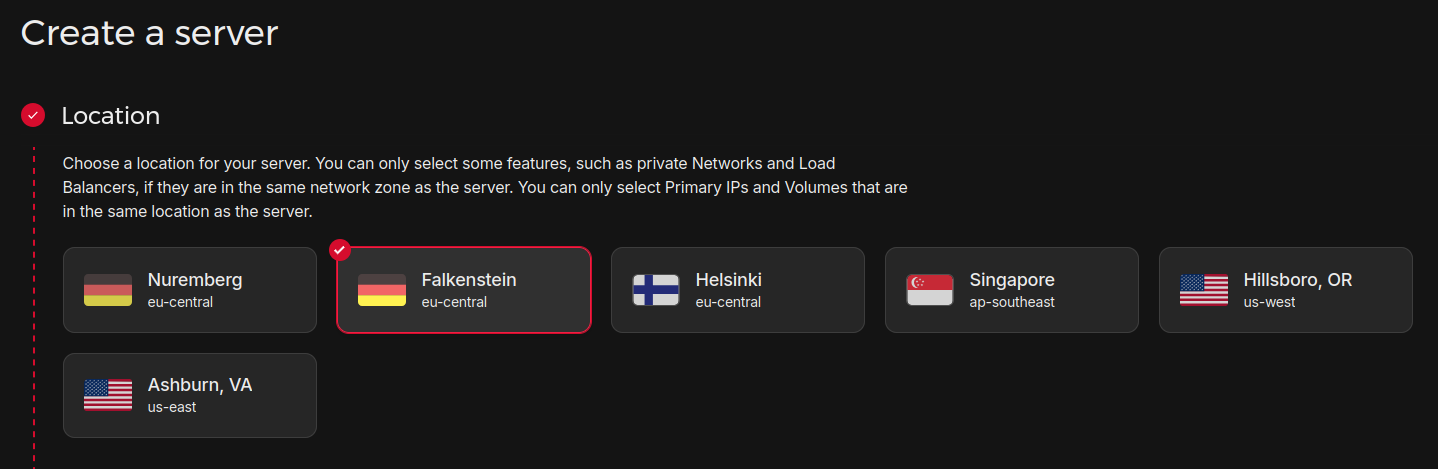
I first looked for the Hetzner region that could be accessed fastest from Korea. While browsing communities, I found a Hetzner latency test page, and the Falkenstein region looked like the best choice for Korea. US and Singapore servers were faster, but I excluded them because their traffic costs were higher.
I also planned to use a Cloudflare proxy, so I expected some speed improvement even if the server was far away. After building a test server and checking rendering speed, I decided it was good enough.
If this page or my forum does not feel painfully slow, then my choice was probably right.
The server configuration and price I finally chose are:
- Virtual server type: Dedicated vCPU
- CPU: 4 cores
- RAM: 16GB
- Storage: 160GB
- Free traffic: 20TB
- OS: Ubuntu 24.04
- Price: $26.49 per month
The current specification is a little higher than my requirements, but Hetzner supports downgrades as long as the storage size is the same. I plan to adjust it later if needed.
Building the Service
The Limits of Docker
With the server ready, it was time to configure the software. Previously, I built services only with Docker. That setup had two problems: low horizontal scalability and poor disaster recovery.
Horizontal scalability means whether you can easily distribute the service across multiple servers when one server can no longer handle all users. Docker is software for managing containers on a single machine, so it was not ideal for this purpose.
Disaster recovery means whether server configuration and data can be restored quickly when a server fails or infrastructure must be moved. Docker has no built-in backup solution, so I had to configure backup and recovery for each service manually, which was inconvenient.
Adopting Kubernetes
This time I decided to use Kubernetes instead of only Docker. Kubernetes automatically manages containers in a distributed computer environment, or cluster, which is why it is called container orchestration software. It makes horizontal scalability easier to achieve.
Kubernetes also has many tools for infrastructure backup and recovery, making disaster recovery easier. If I later become unhappy with Hetzner or the server fails, I can move the infrastructure more easily.
It was not all positive, though. The biggest problem was the steep learning curve. It took a lot of effort to learn enough Kubernetes to use it properly. I repeatedly created and deleted clusters on virtual machines until I got used to it.
The second issue was that some software is difficult to run on Kubernetes. A representative example was Discourse, the forum engine I operate. I had to struggle quite a bit to find a way to run it on Kubernetes. I eventually solved it by creating a separate project, but it feels like one more thing to manage, so I want to improve it someday.
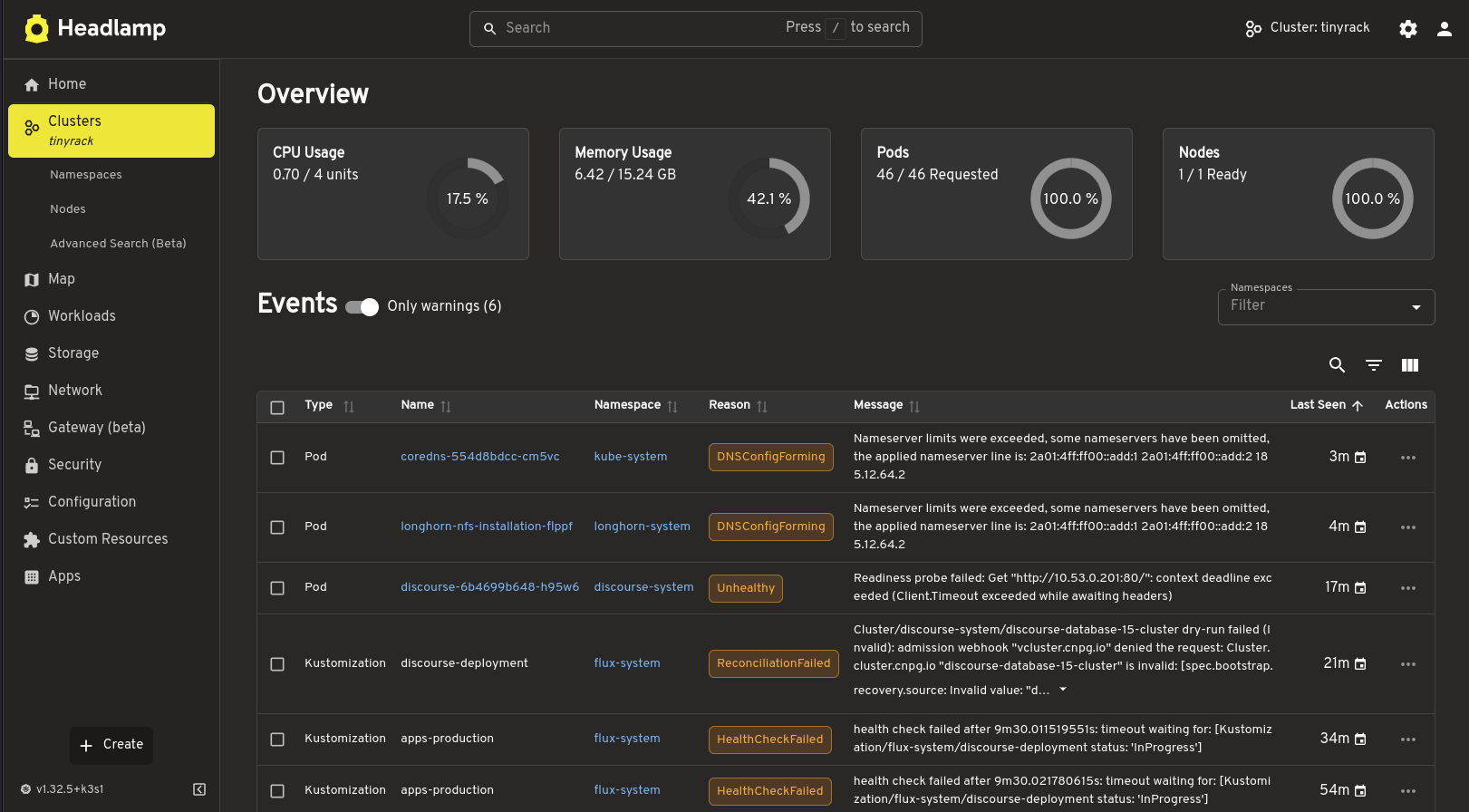
Headlamp Kubernetes Dashboard
Open Source
After much trial and error, I completed the Kubernetes infrastructure. I then restored the data from the old Docker-based services into Kubernetes and finally connected the domain to complete the migration.
I thought it would be useful to leave the process as open source so others could refer to it, so I published the GitHub project. If you are curious about my work or want to build a homelab with Kubernetes, take a look.
Security Strategy
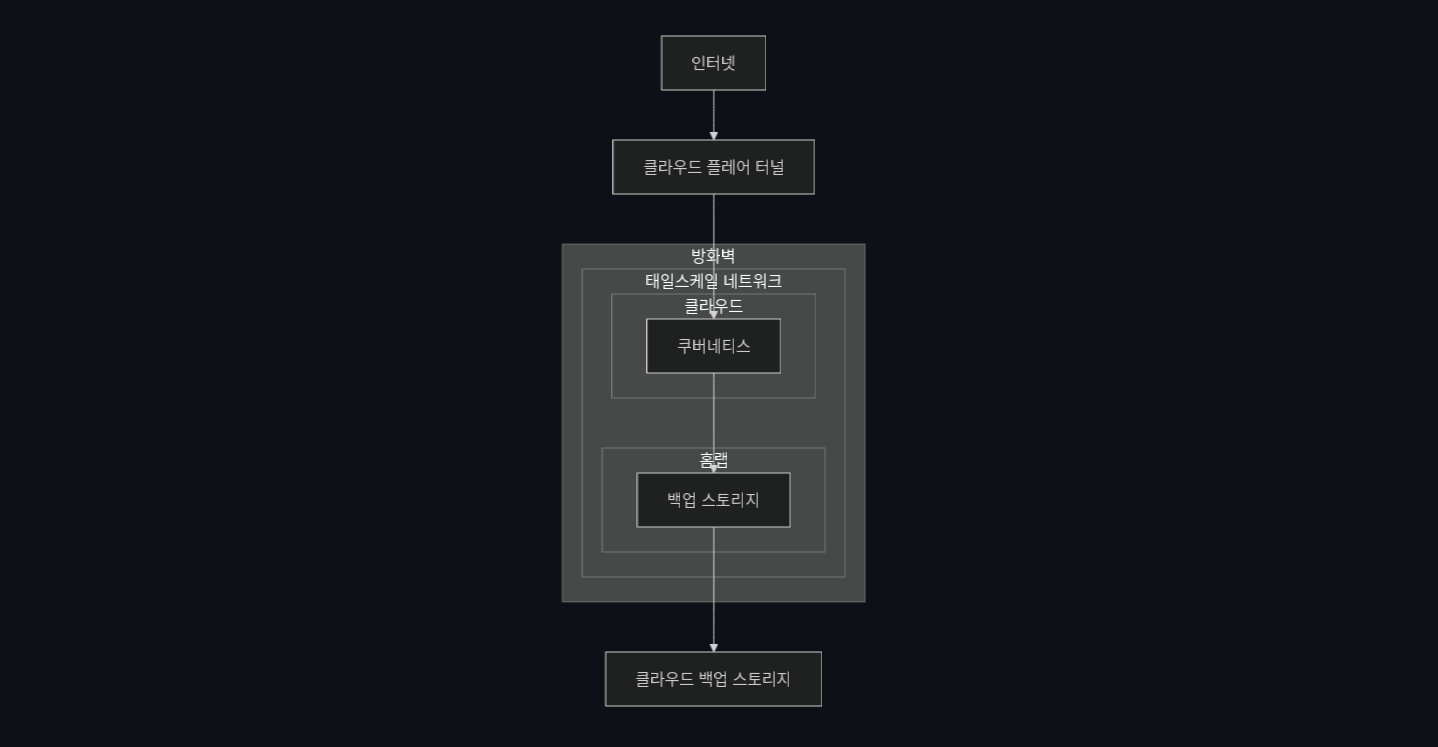
Recently, server hacking incidents seem to happen frequently. While rebuilding the server, I also reviewed and improved security.
This time I applied a zero-trust security strategy. In short, it means distrusting and checking every network access by default. I blocked all network access through the server's public IP at the firewall and allowed external access to services only through Cloudflare Tunnel. Server administration is allowed only through a virtual private network using Tailscale.
The strategy is to minimize public IP exposure and, even if exposed, block all network requests. There is no perfect security method, but I expect this to be enough to defend against most network-level attacks.
Data Protection
If you build something through self-hosting like I do, one of the biggest concerns is how to protect data.
Expensive managed clouds usually handle database and storage backups, so there is not much to worry about. But if you manage service data yourself, you must always think about how to back up and restore it.
I applied the 3-2-1 backup strategy, which means:
- Keep at least two backups in addition to the original data
- Store one backup on a physically different device
- Store one backup in a physically different region
To achieve this, all service data is backed up periodically to my homelab storage server, and then backed up again to an overseas storage server.
If the server fails, as long as either the German or Korean backup exists, the service can be restored normally. That should be safe enough.
Next Steps
What started as a simple cloud migration grew much larger than expected. Still, I enjoyed learning new technology, built a safer server, and even became motivated to improve my homelab with Kubernetes.
There is still a lot to improve. The Discourse deployment method needs work, and the current Kubernetes configuration is based on a single machine, so it should eventually be changed into a horizontally scalable structure.
For now, though, it can handle the current traffic, so I want to focus more on creating content. If there is a major change to the infrastructure, I will introduce it again. See you next time.